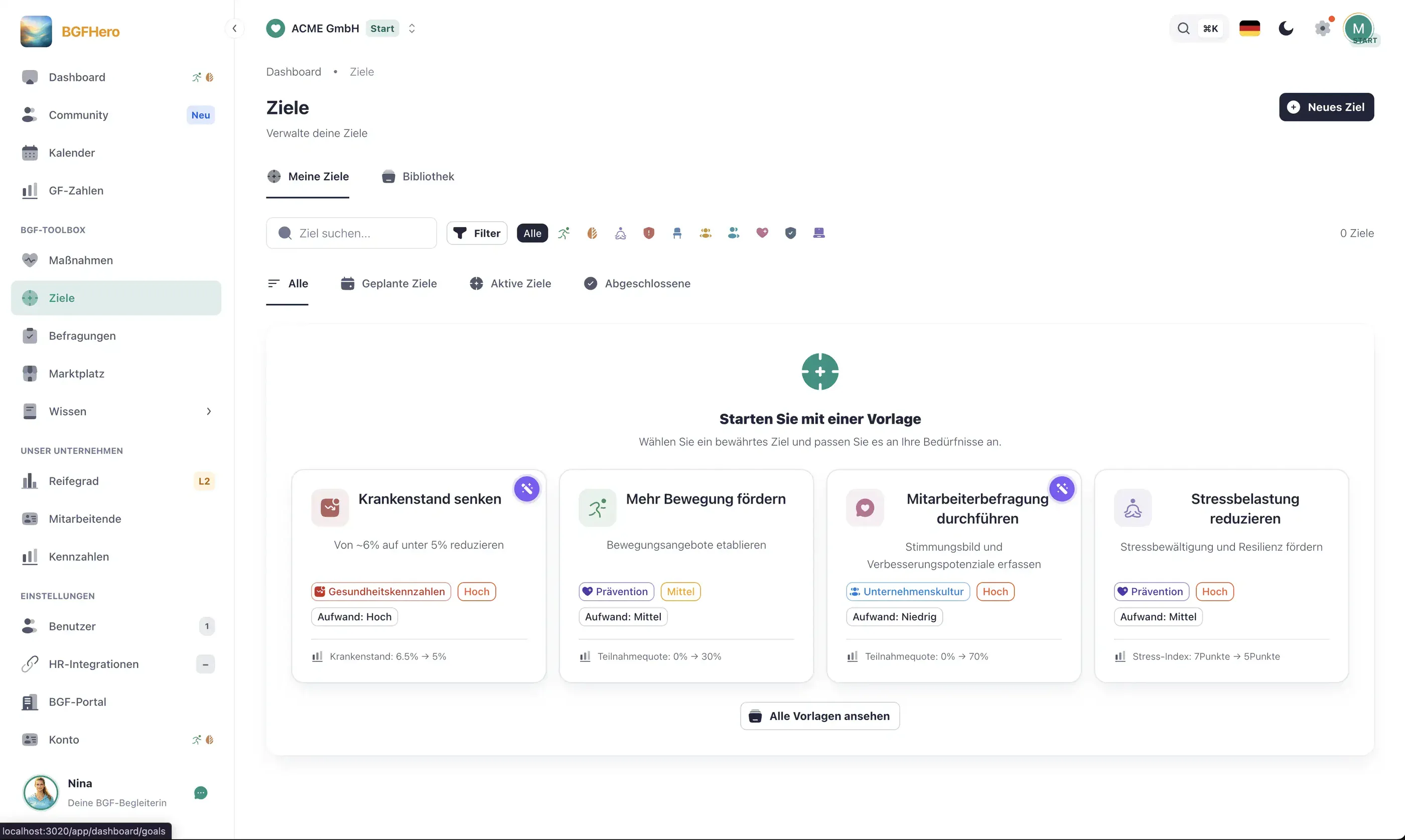
Formulate WHP goals SMART and track them automatically
Why are WHP goals ineffective without tracking?
Many WHP programs do not fail due to lack of commitment, but due to lack of measurement. If you cannot prove at the end of the year whether the sickness rate has decreased or the participation rate has increased, WHP quickly loses its priority with management — and thus its budget.
The classic pattern: measures are planned and implemented, progress is sporadically recorded in Excel, and shortly before the regular meeting with management, you cobble together a colorful chart from three different sources. This not only costs time — it also produces errors and leaves the real question of effectiveness unanswered. “We offered 12 back courses” is not a statement about impact. “The musculoskeletal sickness rate has decreased by 0.4 percentage points in 12 months” is.
The crucial step is therefore not to plan more measures, but first to set a clear goal — and then a system that continuously makes progress visible, without anyone having to manually compile data.
What do SMART goals for WHP look like in practice?
SMART goals (Specific, Measurable, Attractive/Accepted, Realistic, Time-bound) are not a theoretical construct in WHP — they work as soon as you consistently apply them to your own key figures.
A bad goal: “We want to reduce the sickness rate.”
A good goal: “We will reduce the overall sickness rate from the current 6.2% to below 5.5% by 12/31/2026, measured by the monthly HR data from the payroll system.”
Further practical examples: - **Physical activity:** “The participation rate in workplace physical activity offerings increases from 18% to 30% of the workforce by Q3 2026.” - **Stress reduction:** “The proportion of employees with high perceived stress (scale ≥ 7/10 in the quarterly pulse check) decreases from 34% to below 20% by the end of 2026.” - **Managers:** “80% of team leads will have completed the WHP basic training (2 hrs.) by March 2026.”
Important: Translate these goals into the language of management. 1 percentage point less sickness rate means, with 100 employees, around 220 working days per year and costs of about €300 per absence day (Personalwirtschaft 2024), approximately €66,000 less absence costs per year — plus saved replacement costs. This number belongs in every management presentation.
How do stored key figures make the management report easier?
Once goals are stored as key figures, progress measurement becomes much easier. In EasyBGM, you store a key figure for a goal — such as sickness rate, turnover, stress level, or budget. EasyBGM takes the initial value from your data when you create it, and you continuously update the current status.
Progress bars and trend arrows make it immediately visible which goals are on track and where action is needed. This not only motivates the WHP team — it also gives you a solid basis for the next management meeting. Instead of “I think we’re on the right track,” you say: “Goal 2 is at 73% — we still need a targeted measure for production in Q3.”
The management report then becomes much easier: current goal values, trend development, next planned measures. Instead of searching for data from several sources, you have time for the accompanying text. You can find formulas and definitions for ten key figures in the guide WHP Key Figures: the Basic Set.
How to put it in place
- 1Gather current baseline figures: Pull the current absenteeism rate, participation rates, and existing survey results from your HR system and payroll. These figures become your baseline. No baseline, no SMART goal.
- 2Create SMART goals in EasyBGM: Create your WHP priorities under "Goals" in EasyBGM. Enter the current actual value, the target value, and the target date for each goal. Phrase the goal title so it works directly as an executive reporting slide.
- 3Link data sources: Connect each goal to its data source: absenteeism data comes from the HR import, participation rates are counted automatically from booked offerings, stress levels come from the pulse-check module. EasyBGM then updates the values automatically.
- 4Unlock the dashboard view for the team: Share the goal dashboard with your WHP team and the relevant managers. Visibility creates accountability — when everyone sees where things stand, motivation to actually implement measures increases.
- 5Schedule a quarterly review and export the executive report: Schedule fixed quarterly reviews (30 min.) where you evaluate progress and adjust measures if needed. Use the EasyBGM export for the executive report — goal status, trend, and next steps in one document.
What you need
- Effort
- under 30 min
- Cost
- Free
- Duration
- 12 months
- Setup
- 45 min
- ✓ Absenteeism and other KPIs always in view, up to date — without manual spreadsheet upkeep
- ✓ Executive reporting in minutes instead of hours: figures come automatically from the system
- ✓ Early warning signals: goals going off track are visible immediately — before it's too late
- ✓ WHP becomes justifiable: if you know the euro value of 1% less sickness absence, you can make a solid case for budget
Adopt it for your company
One click — and the measure sits ready in your plan. Guided step by step, no lengthy setup.
ÜbernehmenZahlt ein auf
Handlungsfeld
Passender Anlass
Passende Best Practices
Nicht sicher, wo ihr anfangen sollt? Selbstcheck →