Connect Personio & DATEV: WHP metrics automatically instead of Excel
Why does manual data collection take so much time?
Monthly WHP reporting in most HR teams follows the same pattern: export absence data from the HR system, paste it into an Excel spreadsheet, manually calculate the sickness rate, look up the turnover rate from another file, merge everything into a third file — and the result is still never completely up to date. In many HR teams, this manual process takes several hours every month, including error correction.
The problem is not a lack of willingness to analyze, but the system architecture: WHP tool and HR system do not communicate with each other. Yet all relevant raw data is already available digitally — in Personio, DATEV HR, rexxHR, or Kombo. Integrating these systems is technically solved, the effort is one-time and manageable.
Which metrics are transferred automatically?
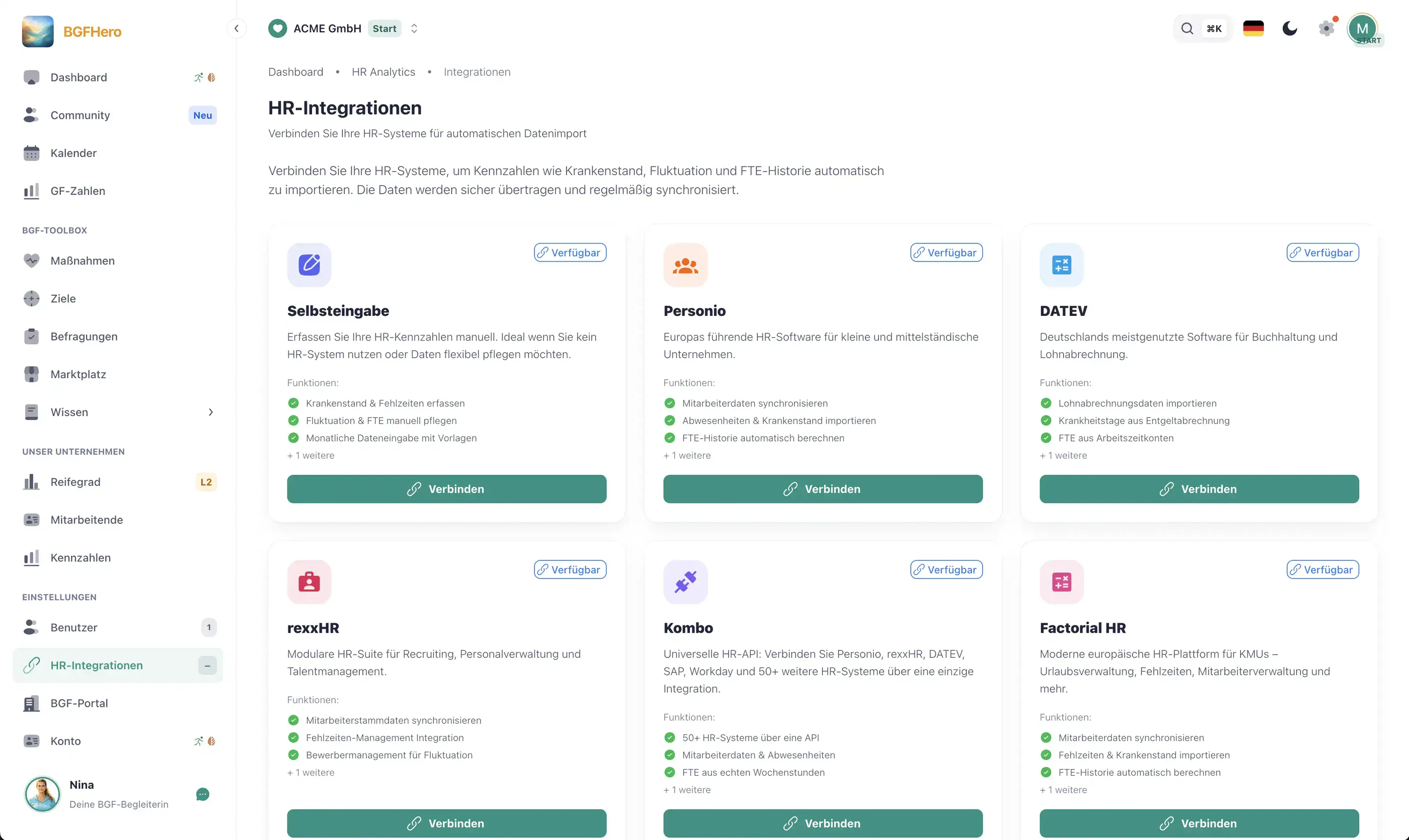
As soon as your HR system is connected to EasyBGM – via interface (Personio, rexx, Kombo, Factorial, Lucca) or via file import for DATEV –, the following metrics are available without manual export:
**Sickness:** Number of sick days per employee and period, broken down by department, location, and type of employment. EasyBGM calculates the rate from this and shows trends over twelve months.
**Turnover:** Entries and exits during the synchronization period. The adjusted turnover rate is calculated automatically — separated by voluntary departures and terminations for operational reasons, provided your HR system tracks this distinction.
**Headcount and age structure:** Active employees by department, age group, and length of service. Especially useful for demographic WHP planning: Which age groups are disproportionately affected by sickness? Where is there a risk of knowledge loss due to retirement in five years?
**Types of absence:** Differentiation between sickness, vacation, parental leave, and other absences — relevant to distinguish real WHP action areas from seasonal effects.
The comparison runs automatically every night and can be triggered manually at any time. Only the fields needed for the metrics are transferred.
How is data protection handled during synchronization?
Absences due to illness are health data and are especially protected under Art. 9 GDPR – this also applies to aggregated metrics if conclusions about individuals are possible. Three points are crucial for integration:
**Personal reference only where necessary:** For calculation, EasyBGM records absences per employed person – type of absence, period, and working days, no diagnoses. Only your company's administrators can see individual data; all other members see only aggregated metrics. Age groups are only displayed from a minimum size to ensure no one is identifiable.
**Record of processing activities and data processing agreement:** The connection between HR system and WHP tool is considered commissioned data processing under Art. 28 GDPR. EasyBGM provides a standardized DPA. This must be signed before the first synchronization — not as a formality, but because it bindingly regulates deletion periods and access restrictions.
**Information and traceability:** Every synchronization is logged. Employees must be informed about the processing (Art. 13 GDPR), for example by supplementing the privacy information for employees. Which legal basis applies and whether a works agreement is necessary should be clarified with your data protection officer and, if available, the works council.
What HR is allowed to analyze with health data and what not is explained in the guide Health Data in WHP.
How to put it in place
- 1Choose your HR system and integration path: Clarify which HR system you use. EasyBGM connects Personio, Factorial, rexx, Lucca and Kombo via an interface; as an intermediate layer, Kombo connects many other HR systems. There is no direct interface for DATEV – upload an export as a CSV or Excel file instead.
- 2Set up the connection in EasyBGM: You need the API credentials of your HR system – these are usually issued by your HR system's administrator. For Personio: create API credentials under Settings → API and enable the 'read absences' and 'read employees' scopes. For DATEV: create an export as a CSV or Excel file and upload it to EasyBGM.
- 3Map data fields: Define which fields from your HR system map to which WHP metrics in EasyBGM. Typical mapping: absence type 'illness' → sick leave counter; start date/end date → turnover calculation; cost center or department field → segmentation in the WHP dashboard. Fields you don't need are explicitly disabled — this reduces data transfer and simplifies GDPR documentation.
- 4Check the first data sync: Run a manual test sync for a completed month and compare the synced values against your known reference figures (e.g. your last manual Excel report). Does the sick leave rate match to one decimal place? Do headcounts and turnover events match? Identify discrepancies here and correct them via the mapping field before automatic operation starts.
- 5Turn on automatic updates and conclude the DPA: On the import card, switch on "update automatically at night". Conclude a data processing agreement (DPA) with EasyBGM – the contracting party is your company as the controller; your data protection officer advises on it. Only then is the integration complete from a data protection standpoint.
What you need
- Effort
- half a day
- Cost
- Free
- Duration
- one-off
- Setup
- 180 min
- ✓ Noticeable time savings every month by eliminating manual data exports and Excel consolidation
- ✓ Up-to-date metrics available at all times — no more outdated monthly figures when executive leadership asks
- ✓ Data protection planned in: only required fields are transferred, DPA standardized, logging included
- ✓ Twelve-month trends built automatically — the basis for data-driven WHP decisions and steering committee reports
Adopt it for your company
One click — and the measure sits ready in your plan. Guided step by step, no lengthy setup.
ÜbernehmenZahlt ein auf
Handlungsfeld
Passender Anlass
Passende Best Practices
Nicht sicher, wo ihr anfangen sollt? Selbstcheck →